Planning guide
Keep one dated campaign record that separates the approved blimp artwork from proposed changes. Name the person who can approve each change, and ask the supplier to confirm any effect on production, handling or the requested date.
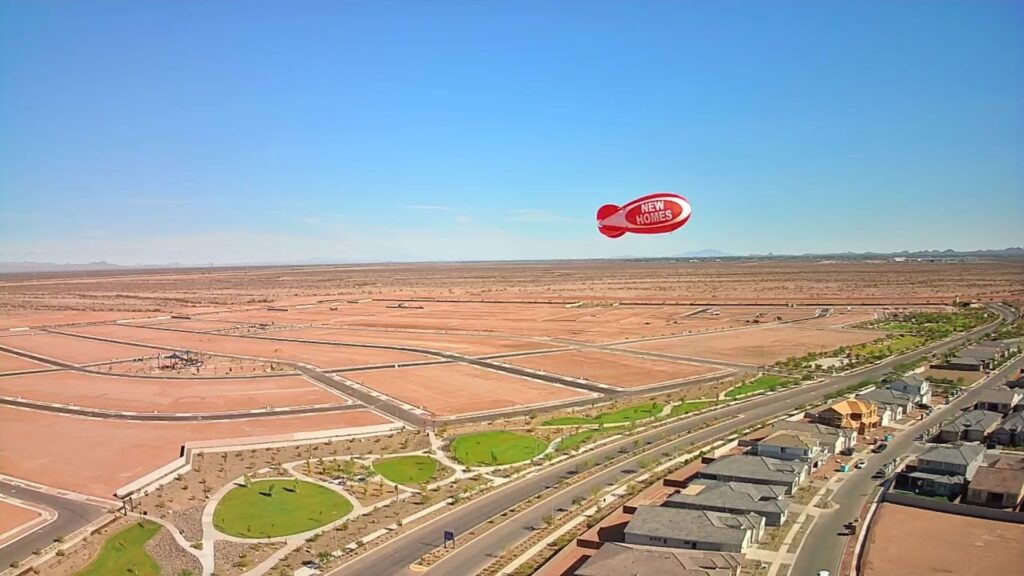
What to put in your brief
Start with the approved version
Record the campaign name, artwork filename and revision date, requested display date, location and approval contact. Keep the original approval alongside the current version. A conversation about a change is not the same as an approved replacement.
Describe the change before requesting it
State exactly what should change: the printed message, logo, color, requested date or proposed location. Include the old and proposed wording together. Ask Arizona Balloon Company to review product or artwork implications; ask the property or event contact about site arrangements. Do not assume one approval covers both.
Close the loop with a dated decision
Mark each request as proposed, awaiting review, approved or declined. Save who made the decision and which file it applies to. Before proceeding, request written confirmation of the final artwork and any revised quote or timing. Share the same current record with the people coordinating the display.
Product reference checked November 22, 2026. Arizona Balloon Company’s Arizona Balloon Company advertising blimp information. For site information, see our product overview.
Interactive inquiry planner
Prepare your Promotional blimp campaign change review
Add the information you know. Review your note before copying it or opening an email draft.
This tool prepares text in your browser. It does not send a request, store your answers, calculate a price or reserve a display.
You can use this checklist without the planner and send an inquiry through our contact page.
Your prepared inquiry
Review these details before sharing them. Nothing has been sent.
If an email draft does not open in your mail app, copy the inquiry into an email or our contact form.
Before you send
The planner needs JavaScript to prepare text. Use the checklist above and contact us.
Frequently asked questions
What belongs in a promotional blimp change record?
Include the campaign, approved artwork version, proposed change, requested date, location, decision owner and current status. Keep unresolved questions visible.
Does sending new artwork replace the approved file?
Ask for explicit confirmation. Identify the replacement filename and revision date so the supplier can distinguish a proposed file from the approved production version.
Can a message be changed after production starts?
Ask the supplier about the specific order before assuming a change is possible. Feasibility, cost and timing need individual confirmation.
Should a location change be recorded too?
Yes. Provide the new address and site contact, and request a fresh review of the proposed display arrangements. Approval at one property does not establish approval at another.
Are these helium blimps or blower displays?
Arizona Balloon Company describes its advertising blimps as tethered helium products. Blower-inflated ground displays are a different product category; identify the actual product in the record.
Does the inquiry planner approve my requested change?
No. It prepares text locally for you to review and copy or open in an email draft. A supplier or site decision still requires direct confirmation.
Discuss your display
Send the location, dates and details you want the supplier to confirm.